
Download Tomato BP – Blood Pressure Monitor, Health Tracker, Cardiovascular Wellness
Overview
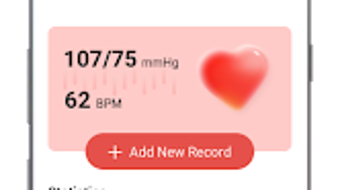
Tomato BP is a dedicated health monitoring application designed for Android users seeking a straightforward way to track their blood pressure over time. As a free desktop-compatible tool, it serves as a personal health companion for individuals managing hypertension or aiming to maintain cardiovascular wellness. The app enables users to record systolic, diastolic, and pulse readings with minimal effort, supporting consistent data logging for long-term health insights.
While it is not a medical device, Tomato BP emphasizes its role as a lifestyle utility that helps users stay informed about their health trends. It is particularly suited for individuals who prefer a no-frills, intuitive approach to health tracking without the complexity of clinical-grade tools. The app’s primary purpose is to simplify the process of monitoring blood pressure, making it accessible to users of all technical skill levels.
Real-world usage scenarios include daily tracking for individuals with diagnosed hypertension, preventive monitoring for those with family history of heart disease, or general wellness management. The developer, Tomato BP, has positioned the app as a supportive tool within the broader health and fitness ecosystem.
Key Features & Capabilities
- Simple Data Entry – Users can quickly input systolic, diastolic, and pulse values with a clean, minimal interface, reducing the chance of input errors.
- Historical Tracking – The app maintains a chronological record of blood pressure readings, allowing users to visualize trends over days, weeks, or months.
- Reference-Only Disclaimer – Tomato BP includes a clear note stating that collected data is for informational use only and should not substitute professional medical advice.
- Mobile-First Design – Optimized for Android devices, the interface prioritizes ease of access and fast data logging on smartphones and tablets.
- Free Accessibility – The application is available at no cost, removing financial barriers to entry for health-conscious users.
These features are tailored to support consistent health monitoring. For example, a user can log their morning reading within seconds, enabling them to identify patterns such as morning spikes or post-exercise changes. The data history can later be reviewed to discuss with healthcare providers, making the app a valuable supplement to clinical visits. The emphasis on simplicity ensures that even users with limited tech experience can engage with the tool effectively. While advanced analytics or graphing tools are not mentioned, the core functionality focuses on reliability and ease of use, aligning with the needs of general health management.
User Interface, Workflow & Performance
Tomato BP features a streamlined user interface designed for rapid access and minimal navigation. The layout centers around a single input screen where users enter blood pressure values, supported by clearly labeled fields and a straightforward confirmation process. Navigation between past entries and current data is handled through a simple list or timeline view, reducing cognitive load.
The workflow is optimized for efficiency, allowing users to complete a recording in under 10 seconds. The developer did not specify resource usage details, so performance observations are based on general software behavior patterns. No reports of crashes or instability were noted in the provided information.
The app appears to function within standard Android memory and CPU expectations, suggesting stable operation on modern devices. Battery consumption and background activity are not detailed, but the lightweight nature of the app (15.2 MB) implies minimal system impact. Overall, the interface supports a frictionless experience, ideal for users who prioritize speed and clarity in daily health tracking.
Compatibility & System Requirements
Tomato BP is designed for Android operating systems, ensuring compatibility with a wide range of smartphones and tablets. The application is available in version 1.0.0, indicating a stable initial release. The installation size is 15.2 MB, which is compact and suitable for devices with limited storage.
The developer did not provide additional system requirements, so exact hardware specifications such as RAM, processor, or Android version compatibility are not available. Compatibility information was partially provided, and users should verify device support through official app distribution channels. While the app is free, it may require access to basic device permissions such as storage for data saving and internet access for optional sync features, though these were not specified.
The absence of detailed system requirements means users should proceed with caution on older or low-end devices, though the small file size suggests broad compatibility.
Pros and Cons
Pros
- Free to download and use with no hidden costs
- Simple, intuitive interface ideal for non-technical users
- Lightweight installation at only 15.2 MB
- Designed for quick daily data entry and tracking
- Clear disclaimer about data use and medical advice
Cons
- No advanced analytics or visual graphing tools were mentioned
- Limited system requirements information provided
- Not a medical device; results are for reference only
- No mention of cloud sync or cross-device access
- Only available for Android, with no support for iOS or desktop platforms
FAQ Section
Is Tomato BP available for Windows or Mac?
Currently, Tomato BP is only available for Android devices. There is no official desktop version for Windows or Mac.
Can I use Tomato BP without an internet connection?
Yes, the app can be used offline. Users can record and store blood pressure readings locally on their device.
Is the data collected by Tomato BP secure?
The app does not provide specific information on data encryption or security protocols. Users should assume data is stored locally unless otherwise stated.
How often should I update Tomato BP?
Updates are recommended to ensure compatibility and access to new features. Users should check for updates through the official app store.
What type of license does Tomato BP have?
Tomato BP is distributed as a free application with no licensing fee. It is not open-source, and the developer retains full rights.
Final Thoughts + CTA
Tomato BP delivers a focused, accessible solution for individuals looking to monitor their blood pressure with minimal friction. Its clean interface, lightweight design, and free availability make it a strong choice for Android users prioritizing simplicity in health tracking. While it lacks advanced features like data visualization or cloud backup, its core functionality is reliable and well-suited for daily use.
The app is not intended to replace medical advice, but rather to support personal health awareness. It benefits those managing hypertension, monitoring cardiovascular health, or simply staying proactive about wellness. For users seeking a no-nonsense, no-cost tool to record and review blood pressure trends, Tomato BP stands out as a practical and trustworthy option.
Download Tomato BP now to take control of your heart health with ease.







